Poll snapshot image
A PNG of the current state of a Poll. Use it where an iframe cannot run: README files, Notion, forum posts, email.
Image URL
Append .png to the embed URL. The identifier is the Poll slug or bet address, the same as the live card.
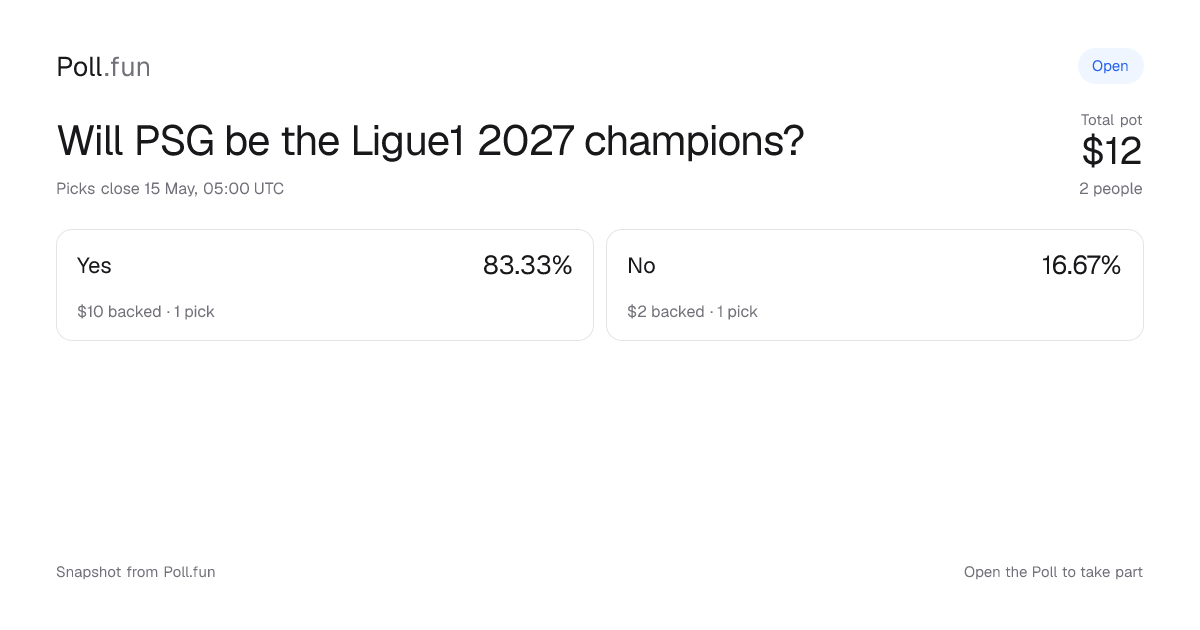
https://app.poll.fun/embed/poll/{identifier}.pngThe image is 1200 by 630 pixels, the standard social card size. It is always light themed. This one is live:
Markdown and GitHub
Wrap the image in a link so a click opens the Poll. This works in GitHub READMEs, issues, and most Markdown renderers.
[](https://app.poll.fun/bet/will-psg-be-the-ligue1-2027-champions)GitHub proxies images through its own cache, so a README can lag the live Poll by a few minutes.
HTML
<a href="https://app.poll.fun/bet/will-psg-be-the-ligue1-2027-champions" target="_blank" rel="noopener">
  <img
    src="https://app.poll.fun/embed/poll/will-psg-be-the-ligue1-2027-champions.png"
    alt="Will PSG be the Ligue1 2027 champions? Live pot and outcome split on Poll.fun"
    width="1200"
    height="630"
    style="max-width: 100%; height: auto; border-radius: 16px;"
    loading="lazy"
  />
</a>
Set width and height so the page does not shift while the image loads.
Notion and other editors
Most editors accept an image by URL. Paste the .png URL into the editor's image block.
- Notion: type
/image, choose "Embed link", paste the URL. - Slack and Discord: paste the URL on its own line. The unfurl shows the image.
- Email: use the HTML snippet above. Most clients block iframes but load images.
What the image shows
- The question, current status, total pot, and number of friends backing it.
- Up to four outcomes with their share of the pot, amount backed, and pick count.
- A "+N more" note when the Poll has more than four outcomes.
- The close time when the Poll has one.
Eligibility and privacy rules are the same as the live card: public Polls only, aggregate numbers only. An ineligible identifier returns a 404, not a placeholder image.
Caching
The image is rendered on request and cached at the edge.
Cache-Control: public, max-age=5, s-maxage=15, stale-while-revalidate=30Browsers keep it for 5 seconds and the CDN for 15. A stale copy can be served for a further 30 seconds while a fresh one renders. If you need the newest state in a tool that caches hard, add a query string such as ?v=2 to force a new fetch.